
iOS app · Belgium
RailLink
Real-time train departures, starting from the station you're standing at.
Period
Sep 2024 – present
Platform
iOS · iPhone
Built with
Swift, SwiftUI, WidgetKit
Most train apps ask where you're going. RailLink asks where you are.
Commuters rarely need a route planner: they know where they're going. What they need is the next train from their station, its platform and whether it's late. RailLink is built around that one question, and answers it before you've finished pulling your phone out of your pocket.
- 1 tap
from station to departures
- 4 languages
station names included
- Live Activities
on Lock Screen and Dynamic Island
- 2 widgets
for your home screen
01
Live departures
The departure board, in your pocket
Departures, delays and platforms per station, refreshed in real time. Delays show up the moment they're known, cancelled trains are struck through, and a tap on a platform shows only the trains that leave from it.
Station
LIVE · 08:14
Simulated data — real trains don't always run, this demo always does.
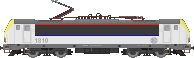
Train graphics: MLGTraffic.


02
Live Activities
Follow your train without opening the app
Start following a train and RailLink moves to your Lock Screen and Dynamic Island: a countdown to the next stop, the whole route as one line, your favourite stations starred and every delay in orange.
01
Countdown
Time to the next arrival or departure, ticking by itself.
02
The whole route
Every stop on one line; the segment you're on fills up with the schedule.
03
Favourites
Stations you saved get a star, so you know where you get off.
Dynamic Island
Tap the island to expand
Lock Screen
8:06
Delay
03
Share a ride
Share your ride, get picked up
Tap where you get on and where you get off, and RailLink turns that part of the route into a link. Whoever gets it follows the train live: in the app on an iPhone, on the website everywhere else.
RailLink04
Widgets
Your station, on your home screen
Pick a station per widget. The small one shows the next two departures, the medium one the next four. Tap a train and the app opens right on it.
LIVE · 08:14
05
Map & favourites
Every station, one tap away
Start from the map or from where you are. Star the stations you use every day and they stay on top: in the app, on the route of your Live Activity and in your widgets.
06
Four languages
Spoor.Platform.Voie.Gleis.
Belgium speaks three languages, its travellers even more. RailLink is fully localised in Dutch, French, German and English — station names included.
Behind the app
Swift
SwiftUI
WidgetKit
MapKit
Localization
iRail API
01
The challenge
Existing train apps are route planners first. For someone who leaves from the same station every day, typing a departure and destination each time is pure friction. The question was how fast relevant information can get to a traveller.
02
The approach
A native SwiftUI app that puts the station first: open the app, see the departures nearby. Real-time data comes from the iRail API, favourites sync to WidgetKit widgets, and ActivityKit brings a followed train to the Lock Screen and Dynamic Island.
03
The result
RailLink is live on the App Store and gives Belgian commuters the fastest route to their next train. Building it deepened my expertise in native iOS, real-time data and designing interfaces that have to work in a two-second glance.
Catch your next train
RailLink is available for iPhone in the App Store.